 Desktop workspace for AI coding agents
An agent in a chat
- The agent decides on its own when the work is done.
- Tests run only if the agent remembers to run them.
- The session that wrote the code also reviews it.
- Decisions and findings disappear with the chat window.
Public beta
Garda AI Desktop runs Claude Code, Codex, and other coding agents through a workflow you control: planning, agent debates, your own test and build checks, independent review, and fixes before a task is closed.
Illustration of a built-in workflow.
Why a workflow
How it works
The main agent records a plan and scope before it changes code. When requirements are ambiguous, the choice comes to you instead of being guessed.
One writer works on the task at a time. Add a Debate before or after this step, or enable the optional test-first mode.
Garda runs your test and build commands, then launches independent reviewers. Security, database, API, and other reviews join when the change touches those areas.
Blocking findings go to Fix and back to review. The task is done when the required checks pass, not when the agent says so.
A real run
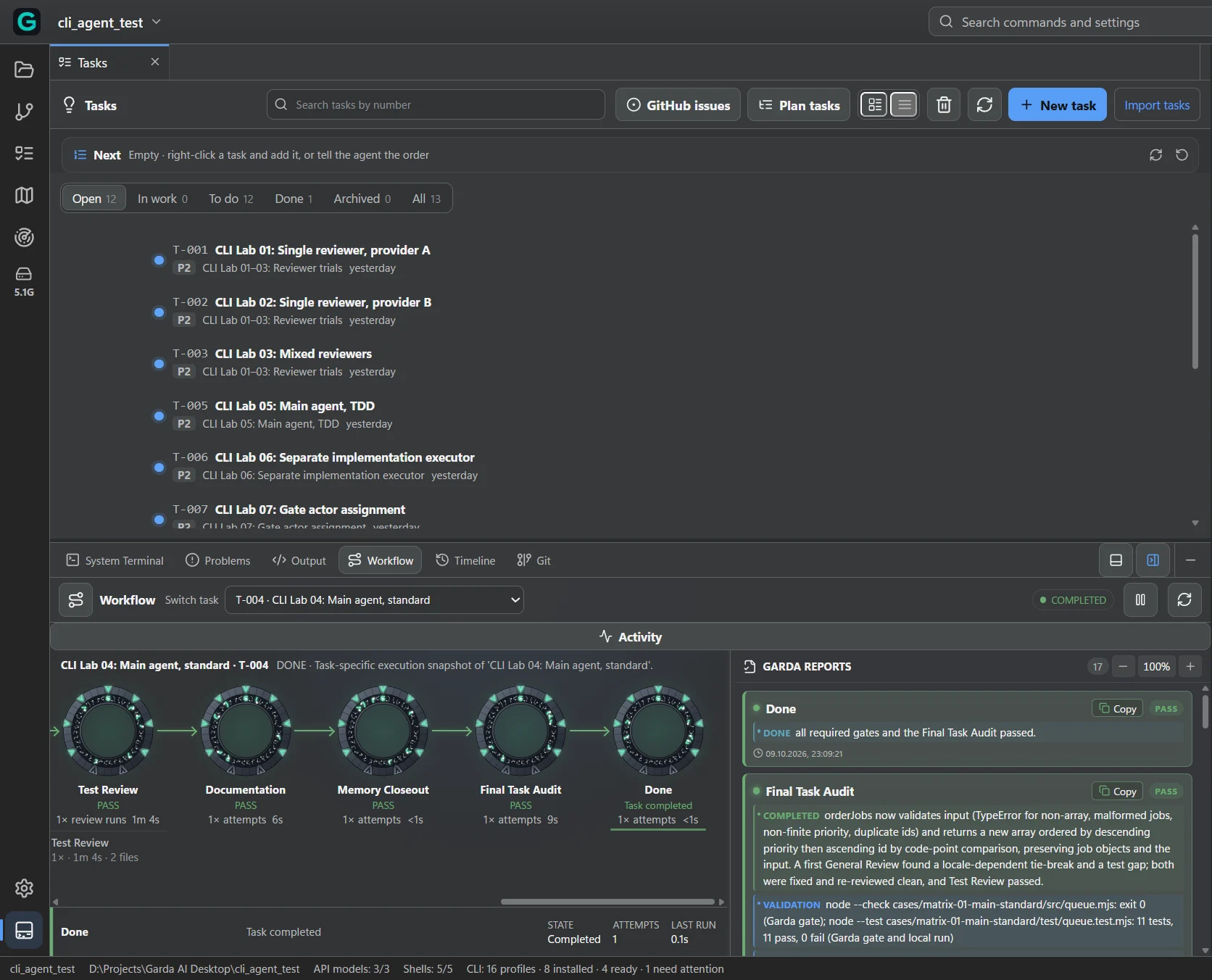
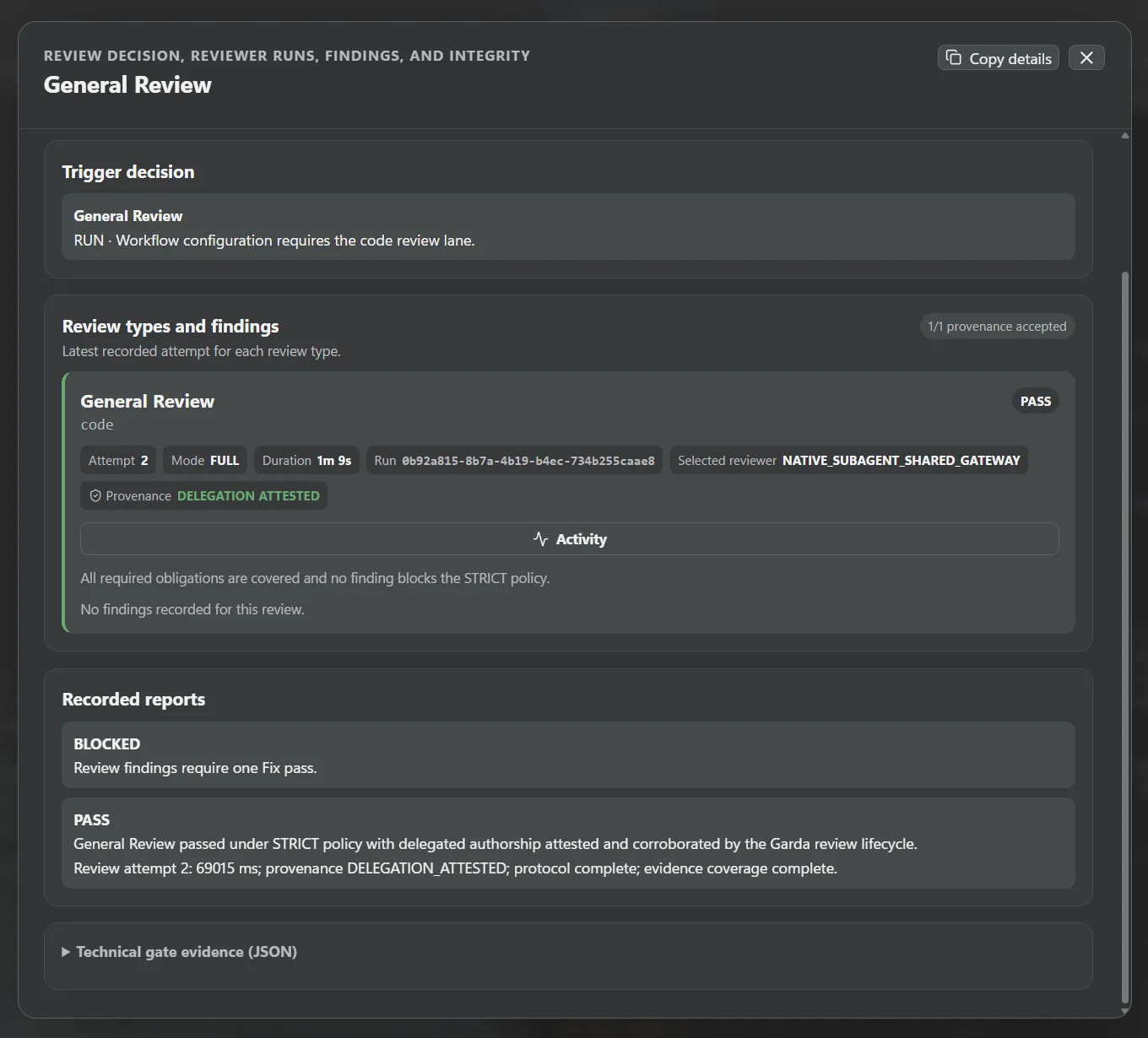
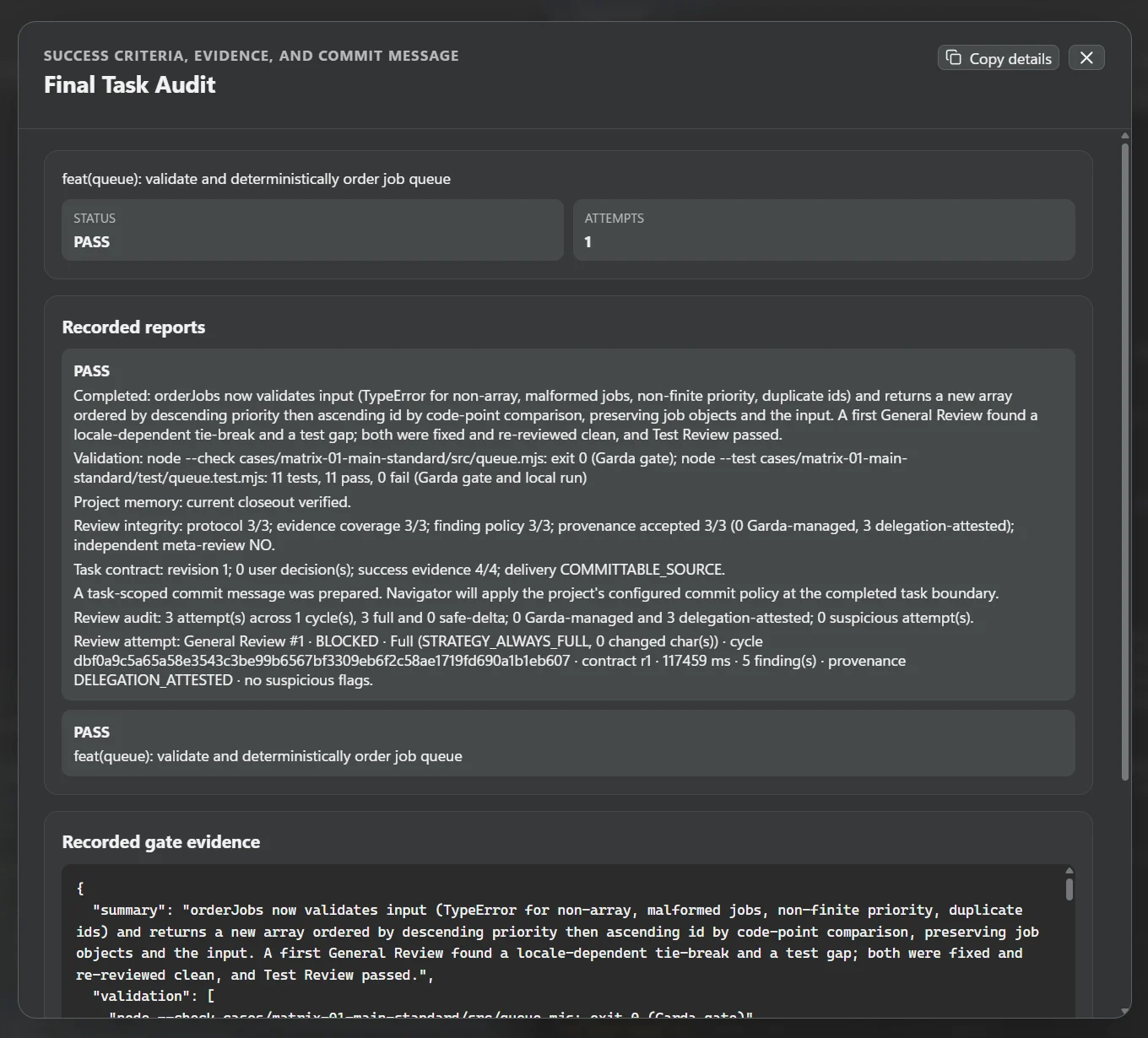
A demo task in a test repository, run by Claude Code in Garda. The first review blocks the task over a locale-dependent sort, the Fix step repairs it, and the re-review passes before the final audit.
Core capabilities
Add a Debate before or after implementation. A separate CLI or API opponent challenges the proposal in recorded rounds, and open requirement questions come to you.
Reviewers work in their own sessions with a narrower tool scope. Findings carry a classification, severity, and evidence, so you can see what actually needs fixing.
Route findings by severity and review area: a lighter model for minor code issues, your strongest one for critical security problems, with an optional fallback if a provider fails.
Turn on TDD for a workflow and Garda runs the tests itself: the new test must fail for the expected reason before production code changes, then pass with the same command.
Commands, patches, and Git writes that need confirmation wait for your decision, even across restarts. Pushing, publishing, and other external actions stay under your control.
Set token, iteration, and time limits for API workers and time limits for CLI workers. Interrupted runs can be retried or reassigned without losing the task's history.
Flexible workflows
Start from a built-in workflow and adjust it in Settings. Tasks that are already running keep the workflow revision they started with.
Assign a step to the main agent, a CLI agent, or an API model. Garda records what actually ran, not only what was configured.
Models and connections
Garda does not resell model access. Sign in to CLI agents as usual or add your own API keys; usage is billed by your provider.
Cursor Agent, Junie, and Auggie can run as the main interactive agent only.
Local models run through Ollama or LM Studio without an API key.
Built-in presets are integration contracts, not a certification of every provider or model. The models you can choose depend on your account.
Workspace
Run builds, tests, and scripts in a project terminal, edit code, and review Git changes while the related task stays in view.
Follow an agent live in raw terminal output or a compact event view. Every run keeps its report, evidence, and approval history.
Data
Tasks and their history are stored locally. The code and context you give an agent are sent to the provider you choose for that agent.
Tasks, workflows, runs, reviews, findings, and decisions are stored in a local SQLite database.
Verified backups and recovery snapshots. Updates create a safety backup before they install.
API keys stay in the operating system's credential store instead of ordinary application records.
Known credential patterns are redacted from context before it is sent to an API provider.
Roadmap
Implemented changes are distinguished from published releases and future work. Check the release catalog below for what you can download.
Account assignments and device management are implemented. Organization policies, SSO, team reporting and enterprise seat integration remain in development; no public Enterprise release is announced.
About Enterprise Control PlanePrepared for beta.4: supported provider usage and CI readings, one to three agent terminals, account sign-in and signed Ultimate access. Readings may be stale or unavailable. These changes are recorded under Unreleased, not promised in earlier downloads.
Exploring a locally run model for routine workflow decisions, managed by the organization, with a person able to override every decision.
New to coding-agent workflows? Read the guide to planning, checks, independent review, and fixes.
Loading published releases…
Garda AI Desktop is free for noncommercial use under the PolyForm Strict License 1.0.0, which does not permit changing or redistributing the software. The source code is not published; installers come from the public releases repository. Personal use and qualifying charitable, educational, public research and government organizations are covered by Free as defined by PolyForm. Commercial use requires Ultimate under the separate commercial EULA.